
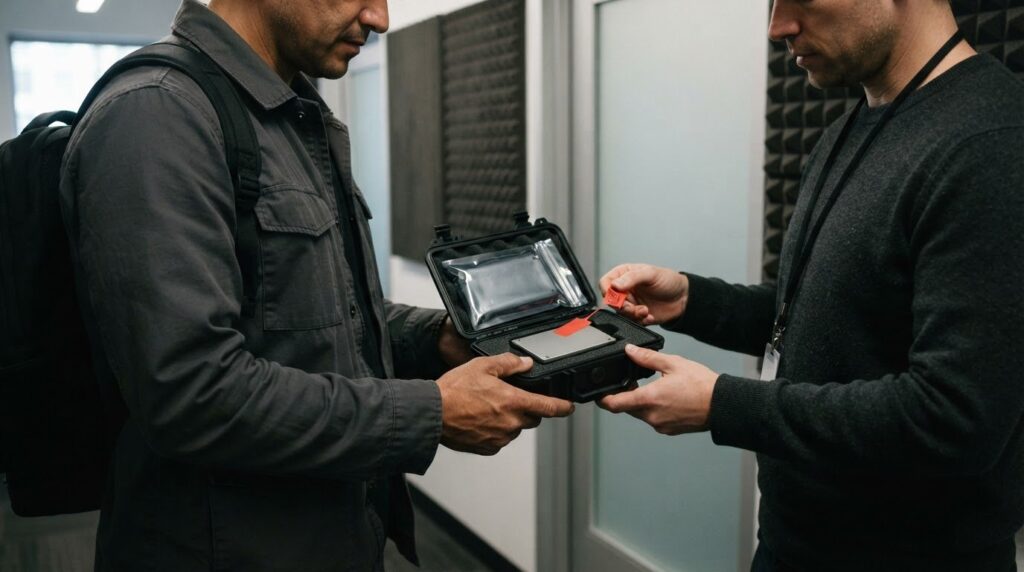
Hard Drive and Media Delivery in Los Angeles means considering the drive, packaging, timing, and handoff together. Does the recipient need physical media? If so, secure courier delivery may be the right option.
Physical drives can become cumbersome and expensive to move when a project has more than five versions. That doesn’t make delivery the wrong option. The number of versions, drive capacity, compatibility, and deadline should shape the plan.
This guide covers delivery considerations, choosing a drive for your files, and protecting physical media with careful packaging and a documented handoff. You’ll also learn when a professional courier can help transport a prepared drive in Los Angeles.
Key Takeaways
- Factor in the number of media versions and delivery timing when planning costs; more than five versions can make physical-drive delivery cumbersome.
- Match the drive to the files and receiving computer, considering capacity, connection type, and whether a hard disk drive or solid-state drive fits the job.
- Reduce handling risks with protective packaging, shipment tracking, recipient sign-off, and a local duplicate backup.
- For time-sensitive delivery in Los Angeles, choose a courier option that suits the destination and handoff requirements.
Hard Drive and Media Delivery: Drive and Shipping Costs
- Count the versions before choosing physical media. Shipping drives for localization becomes cumbersome and expensive when a project has more than five versions. Compare the workload of preparing separate drives with online transfer, which can give multiple localization providers access through a single transaction. Include receiving and file handoff in that comparison.
- Plan delivery around the deadline. Send the drive well in advance when the schedule allows. A late handoff can lead to rush delivery fees and delays that affect receiving, review, or production. Build in time for the recipient to confirm arrival and access the files before the work begins.
- Keep the route focused. Choose a courier located relatively close to the destination when arranging local delivery. A shorter route can avoid unnecessary transportation and help keep logistics simpler. Provide the complete receiving address and any delivery instructions so the package reaches the intended destination without avoidable detours.
- Account for international requirements. Before sending a hard drive across a border, check the destination country’s customs duties and import regulations. These requirements can affect the shipment’s route and timing. Include that review in the schedule, since a customs-related hold may delay receiving and postpone access to the media.
- Protect the recovery plan. Keep a duplicate copy of the files locally before handing over the physical drive. If the delivered media is damaged or inaccessible, the duplicate can support recovery without waiting for the original drive to return. Confirm that the receiving team has the correct files before treating the handoff as complete.
For physical localization delivery, more than five content versions can make moving drives cumbersome and expensive. Sending a drive well in advance can help avoid rush delivery fees.
Hard Drive and Media Delivery: Hard Drives
Cloud file transfer is an alternative to moving physical media. It can give multiple localization providers access to content through a single transaction, simplifying distribution when several teams need the same files.
For hard drive and media delivery, agree on a file system that both the sender’s and recipient’s computers can read. No single format suits every setup, since compatibility depends on the computers and software involved. Test access before dispatch.
- Match capacity to the project. Estimate the total file size and leave room for working files. Commercial hard disk drives reached 36 TB as of 2025, but capacity alone doesn’t ensure the receiving computer can use the drive.
- Choose the drive type for the handoff. HDDs offer greater capacity per dollar. SSDs have no moving parts, making them more durable for shipping than spinning hard drives. Consider the amount of material and the physical journey when selecting a device.
- Confirm the physical connection. Desktop and server drives commonly use a 3.5-inch form factor, while laptop and portable drives commonly use a 2.5-inch form factor. Check that the recipient’s computer can connect to the chosen drive without an adapter delay.
- Test file access before dispatch. Copy a sample file, then open it on a computer like the recipient’s. This can reveal connection or file-system compatibility problems before the drive is moving. Include the test in your hard drive and media delivery plan, especially when the recipient needs the files for scheduled work.
Hard disk drives were invented on December 24, 1954, and the first hard disk drives spun at 1,200 rpm. IBM’s 1957 hard disk drive had a formatted capacity of 3.75 megabytes. By the early 1980s, later models of removable pack drives reached capacities of 300 megabytes. These milestones offer historical context for a technology whose storage capacity and rotational speed have changed over time.
Contemporary hard disk drive platters spin at speeds ranging from 4200 rpm in energy-efficient portable devices to 15,000 rpm in high-performance servers. As of November 2019, most consumer-grade hard disk drives spun at 5,400 or 7,200 rpm. The figures show why drive specifications can vary across devices; for a handoff, the chosen drive still needs to suit the recipient’s setup and the material being transferred.
Physical-Media Security and Chain of Custody
Keep a local duplicate and document each handoff before the hard drive moves. A secure hard drive and media delivery process tracks the package from pickup through receipt.
-
Protect physical media in transit
Keep a local backup before dispatch. Choose a courier with package tracking and delivery confirmation, and request a recipient signature. These records help establish who handled the package and when it arrived. Online transfer avoids physical handling, but a drive still needs a documented handoff.
-
Professional hard drive packaging for shipping
Have the courier wrap the drive in at least three to six inches of bubble wrap. Place it in a flat-style box with a small gap between the wrapped drive and the front, back, and sides. This cushioning helps limit impact during transport. For a typical 3.5-inch hard disk drive, the package should prevent shifting inside the box.
- Record the package condition and recipient details at handoff. Use the tracking number to follow its movement, and keep the receipt with the shipment information. Insure the hard-drive shipment through a reputable courier. These records support follow-up if the package is delayed, appears damaged, or needs recovery after delivery.
- Complete the chain of custody at receipt. Have the recipient sign before taking possession, then note the delivery time and any visible damage. Keep the local duplicate until the recipient confirms file access. This distinguishes physical receipt from confirmed access, an important part of hard drive and media delivery.
Fastest Hard Drive and Media Delivery Options
- Choose the delivery mode around the deadline. For a physical drive moving within Los Angeles, arrange a local courier pickup and delivery rather than adding unnecessary transit stages. For example, a drive going from a production office to an editing suite may need a direct local handoff. Match the service timing to the recipient’s required access time.
- Prepare the package before pickup. Have the drive protected, labeled, and ready before the courier arrives. A finished package avoids adding packing work to the pickup window. Include the recipient’s full address and delivery instructions, so the route does not lose time resolving incomplete details.
- Coordinate the handoff with receiving. Confirm that someone can accept the package at the destination and identify the correct receiving point. A locked office or unattended reception desk can delay access even after arrival. Set a clear handoff plan for the drive and any required signature before dispatch.
- Use an early facility drop-off when appropriate. Arrive at the shipping facility early, since an early arrival gives the shipment a better chance of being picked up that day. This can help avoid losing a day before the drive begins moving. Build the plan around the facility’s pickup schedule and the recipient’s availability.
- Reduce route distance and uncertainty. Select a courier located relatively close to the package’s destination to avoid unnecessary transportation. For a Los Angeles delivery, a route that starts near the receiving location can reduce extra movement. Share the deadline and destination details when arranging service, then follow the package’s progress through delivery.
Ways Messenger for Hard Drive and Media Delivery
Ways Messenger is a local next step when a prepared hard drive needs to move between Los Angeles locations. Its Courier Delivery Service handles the physical trip, helping connect a sender with the recipient who needs the media. This is useful when an in-person handoff suits the project better than an internet transfer.
Consider the service when a production office, business, or creative team has a drive ready for delivery and a recipient prepared to receive it. For a time-sensitive local handoff, Ways Messenger also offers Same Day Courier Service. Share the destination and required timing when arranging the delivery.
Before pickup, prepare the drive and its package, then provide accurate pickup and delivery addresses. Include the receiving contact’s name and any useful handoff instructions. Clear details help the drive reach the intended person and prevent confusion at the destination.
The courier transports the drive, not the technical work stored on it. The sender prepares the media, while the recipient manages file access and any transfer or recovery work. Keep these responsibilities clear when planning a handoff for an editor, client, or production team.
Contact Ways Messenger once you know the destination and when the recipient can accept the drive. A clear route and handoff plan help align courier delivery with the project schedule, while keeping transportation separate from checking or using the files.
Contact Ways Messenger to arrange a courier delivery for your hard drive.
Frequently Asked Questions
Should I Ship a Hard Drive?
Choose hard drive delivery when the recipient needs a physical copy or an online transfer does not suit the project. Physical media can be useful for handing over large production files or delivering a drive to a designated post-production team. If the recipient can securely access the files online, compare that option with a physical handoff before deciding.
What does hard drive and media delivery mean?
Hard drive and media delivery means transporting a storage device containing digital files to a recipient. The courier moves the device, while the sender and recipient manage file access and use. For example, a production team might send recorded footage to an editor. Delivery moves the drive; it does not transfer files online or recover data.
How much does hard drive shipping and media delivery cost in the US?
The cost depends on the route, requested timing, and package requirements, so there isn’t one price for every US delivery. For a local courier in Los Angeles, those details shape the service quote. Ways Messenger presents pricing clearly upfront with no hidden fees. Share the pickup and destination details when requesting a quote to receive the applicable pricing.
What are the risks of shipping hard drives, and how can I prevent damage or data loss?
Impact, mishandling, or an inaccessible drive can interrupt work or prevent the recipient from using its files. For sensitive material, consider encrypting the contents and sharing the password through a separate channel, not inside the package. Ask the receiving team to confirm that the files open correctly. This verifies access rather than relying only on package arrival.
What should I provide when arranging professional hard drive delivery for media transfer or recovery?
Provide the pickup and destination addresses, a receiving contact, the required timing, and any handoff instructions. Describe the drive and say whether it contains media for transfer or is being taken to a separate recovery specialist. A courier transports the physical device; data recovery is a separate technical service. Keep access credentials off package labels and delivery notes.